

Code Training
Any employee of an MTAA member company who interacts with healthcare professionals (HCPs) or healthcare facilities (HCFs) in any capacity must complete the latest 2.1 Code of Practice Edition 14 training.
How to Enrol for the 2.1 Code of Practice Edition 14 Training
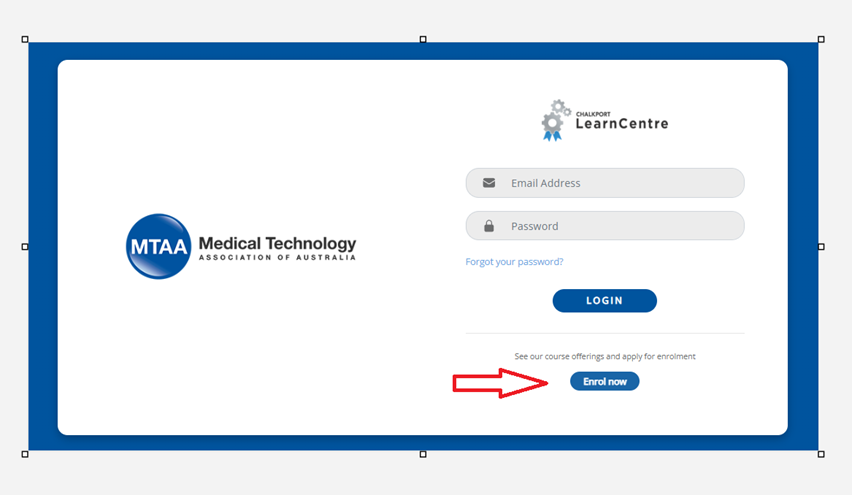
1. Visit the training website www.chalkport.com/mtaaolc, scroll down and click on "Enrol now"
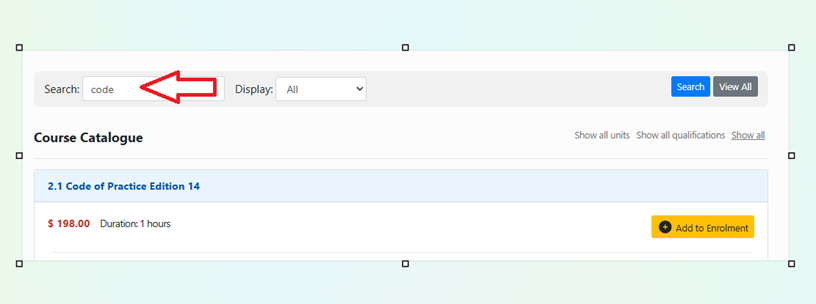
- Under course catalogue, select 2.1 Code of Practice Edition 14 or enter the word "code" in the search field. Click "Add to Enrolment", click "Enrol now".
- If you already have an existing account, click 'Enrol using an existing account', enter your work email and password. If you have forgotten your password, it can be reset online.
- If you have not previously used ChalkPort, follow the prompts and fill in the details to create a new account.
- If you have an existing account from your previous employer, please reply to this email to update it. pd@mtaa.org.au. Do not create a new account.
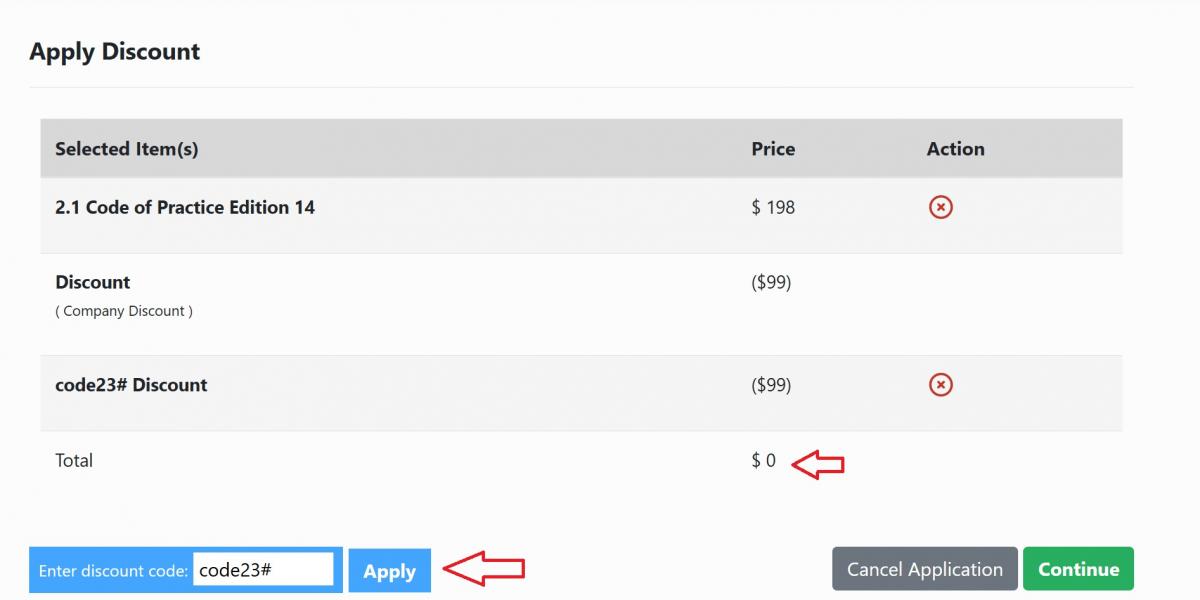
- Apply discount code: code23# and click continue. The amount will show as $0 for MTAA members, (as per below image) and $99 for non-members.
- An automatic email with login instructions will be sent to your email. Check your junk folder for the subject Learn Centre Password Recovery.
- You can now log in to complete your training.
- Upon completion, download your 2.1 Code of Practice Edition 14 digital certificate.
For Human Resource and Training Managers
Please note that learners who have completed a previous edition of the code of practice training are required complete the latest 2.1 Code of Practice Edition 14. Kindly log in to check your course completion status and enrol or complete the course if required.
Could you please confirm that you are logged in to the training portail at www.chalkport.com/mtaaolc and not www.mtaa.org.au?
Have you enrolled in the course? If not, please see the instructions above.
Log in using your work email or personal email and reset your password online. If your existing account is found, you will receive an automatic email. Check your junk folder for a message with the subject Learn Centre Password Recovery.
The 2.1 Code of Practice Edition 14 is complimentary and compulsory for MTAA members.
Apply a discount code – code23# (valid for MTAA members and non-members).
If your company is an MTAA member, the fee will automatically show at $0 on check out.
You must select your company from the list and enrol using a company email address.
If your company is not an MTAA member, a payment of $99 incl GST is required to access the training.
As this is a self-paced online training, you can log in at any time at www.chalkport.com/mtaaolc to complete it.
You may have enrolled twice, therefore a certificate cannot be generated
Please email pd@mtaa.org.au to update your account
Please email pd@mtaa.org.au to update your account
Please click here to recover your password. Check your email junk folder for the subject Learn Centre Password Recovery.
All questions relating to the content of the training or general Code of Practice questions, should be directed to the Code Secretary – code@mtaa.org.au
